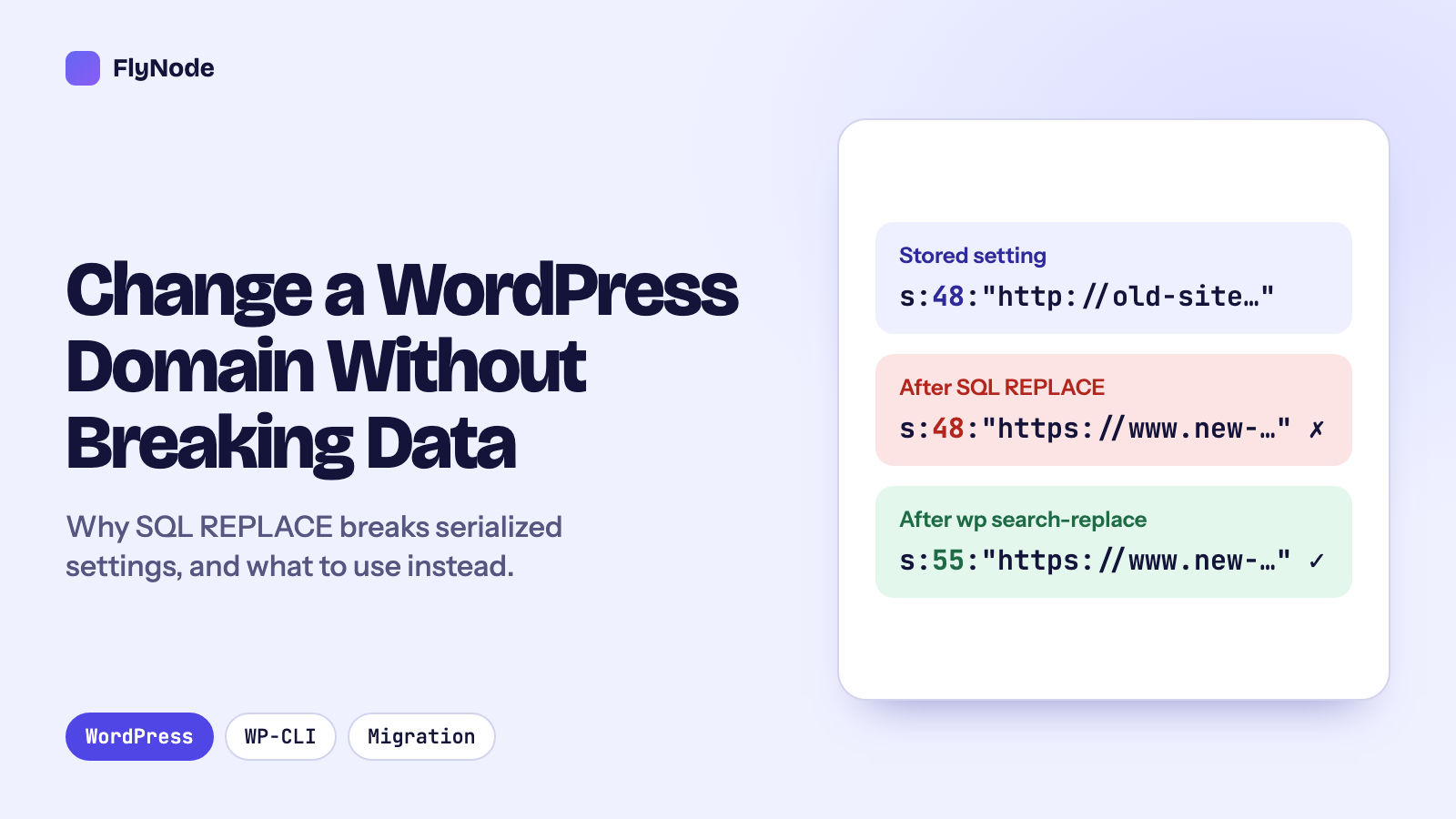
The short answer: WordPress stores many settings as serialized PHP, where every text value carries its length, for example s:48:"http://old-site.test/...". A plain SQL REPLACE() changes the text but not the length, and PHP can no longer read the value. In our test, WordPress then reported the setting as missing. Use WP-CLI's search-replace instead: it unpacks serialized values, replaces, and rewrites the lengths. Preview with a dry run first, then do one more pass for page builder data, which stores addresses with escaped slashes (http:\/\/).
Changing a WordPress site's address looks like a find-and-replace job, and that is exactly how it goes wrong. We set up a throwaway WordPress 7.1.3 site with MariaDB in Docker, gave it the kind of data real sites have, and tried both ways. Everything below is real output from that test, with the domains changed from http://old-site.test to https://www.new-domain.test.
What serialized data is
When WordPress or a plugin saves an array (a theme's footer settings, a widget, a page builder's options), it often turns it into one string with PHP's serialize(). Our test site had a footer setting stored like this:
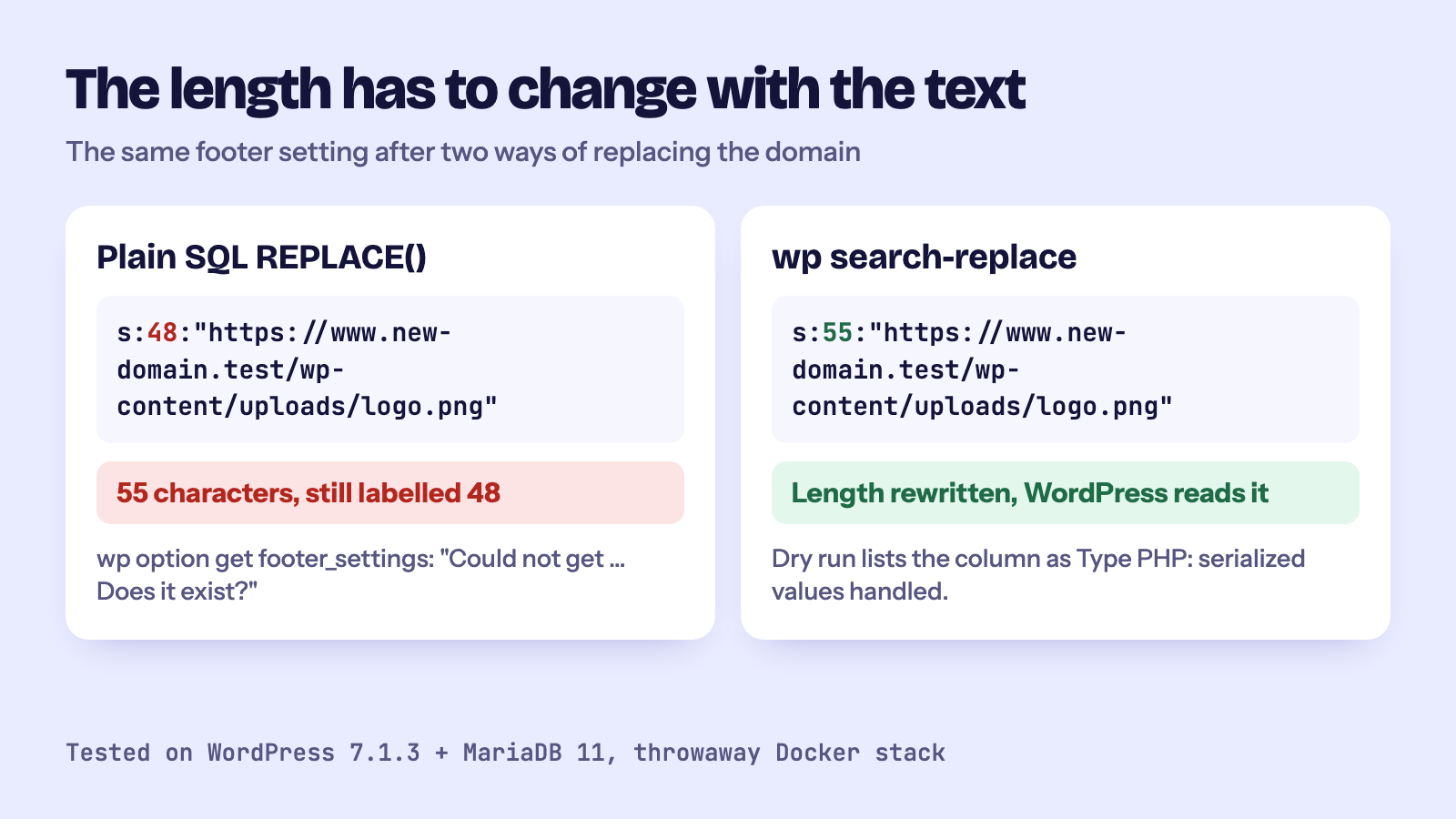
a:3:{s:4:"logo";s:48:"http://old-site.test/wp-content/uploads/logo.png";s:12:"contact_link";s:29:"http://old-site.test/contact/";s:9:"copyright";s:8:"Old Site";}Look at s:48. It says the next text value is exactly 48 characters long. PHP trusts that number when it reads the string back. If the text and the number disagree, PHP gives up on the whole value.
Test 1: a plain SQL replace
This is the query you will find in many old tutorials:
UPDATE wp_options
SET option_value = REPLACE(option_value, 'http://old-site.test', 'https://www.new-domain.test')
WHERE option_name = 'footer_settings';
The text changed, the lengths did not:
a:3:{s:4:"logo";s:48:"https://www.new-domain.test/wp-content/uploads/logo.png";...The new address is 55 characters, but the value still says 48. Then we asked WordPress for the setting:
$ wp option get footer_settings
Error: Could not get 'footer_settings' option. Does it exist?
The data is still in the database, but WordPress cannot read it, so it behaves as if the setting were never saved. On a real site that means a theme quietly falls back to its defaults, a logo disappears, or a widget area goes empty. Nothing shows an error on the page, which is why this kind of damage is often found weeks later.
The same query worked fine on post content (plain text, no lengths). That is what makes it dangerous: half the site looks right.
Test 2: WP-CLI search-replace, with a dry run first
We restored the database and ran the same replacement with WP-CLI, first as a dry run. It changes nothing and lists every table and column it would touch:
$ wp search-replace 'http://old-site.test' 'https://www.new-domain.test' --all-tables --dry-run
Table          Column          Replacements  Type
wp_options     option_value    3             PHP
wp_posts       post_content    3             SQL
wp_posts       guid            4             SQL
wp_users       user_url        1             SQL
...
Success: 11 replacements to be made.
The Type column is the important part. PHP means WP-CLI found serialized values in that column and handled them by unpacking, replacing and packing them again. Then the real run:
$ wp search-replace 'http://old-site.test' 'https://www.new-domain.test' --all-tables
Success: Made 11 replacements.a:3:{s:4:"logo";s:55:"https://www.new-domain.test/wp-content/uploads/logo.png";s:12:"contact_link";s:36:"https://www.new-domain.test/contact/";...The lengths went from 48 to 55 and from 29 to 36, and WordPress read the setting without complaint. siteurl and home changed too.
Test 3: page builder data that a normal replace misses
Page builders such as Elementor save their layouts as JSON, and JSON writes slashes with a backslash in front: http:\/\/old-site.test\/wp-content\/.... We added a value like that and ran the normal replace again. It made its 11 replacements and left the builder data exactly as it was:
[{"widgetType":"image","settings":{"url":"http:\/\/old-site.test\/wp-content\/uploads\/hero.jpg"}}]The search text http://old-site.test simply does not appear in it. A second pass with the escaped form fixed it:
$ wp search-replace 'http:\/\/old-site.test' 'https:\/\/www.new-domain.test' --all-tables
Success: Made 1 replacement.
If your site uses a page builder and images or links still point at the old address after a migration, this is the usual reason.
The checklist for a real site
- Run
wp search-replace 'https://old-domain.com' 'https://new-domain.com' --all-tables --dry-runand read the table. - Run it again without
--dry-run. - If the old site was reachable on both
http://andhttps://, content can contain both. The search is literal, so run it once for each. - If you use a page builder, run the escaped pass from Test 3 (
http:\/\/), again with--dry-runfirst, or use the builder's own replace tool (Elementor has one under Tools). - Flush the permalinks (
wp rewrite flush) and any page or object cache.
Before you run it
- Back up first. A replacement across all tables cannot be undone. Make sure you have a recent backup you could restore.
- Be specific. Search for
https://old-domain.com, notold-domain. A short search string also matches email addresses, text in posts and other sites' URLs. - Read the dry run. If a table you did not expect has hundreds of matches, look before you run it.
- GUIDs change too. With
--all-tables, theguidcolumn is replaced as well (4 rows in our test). For a site moving off a temporary address this is what you want. On a long-running site with RSS subscribers, some feed readers may show older posts as new once.
FAQ
Can I fix a site that was already broken by an SQL replace?
Restoring the backup from before the change is the safe way. Repairing broken lengths by hand is possible but slow and easy to get wrong.
Why not just change the Site Address in Settings, General?
That changes two options, siteurl and home. Links inside posts, image addresses and plugin settings keep the old address.
Get new articles in your inbox
New guides on WordPress, tracking and automation, once or twice a month. No spam, unsubscribe any time.