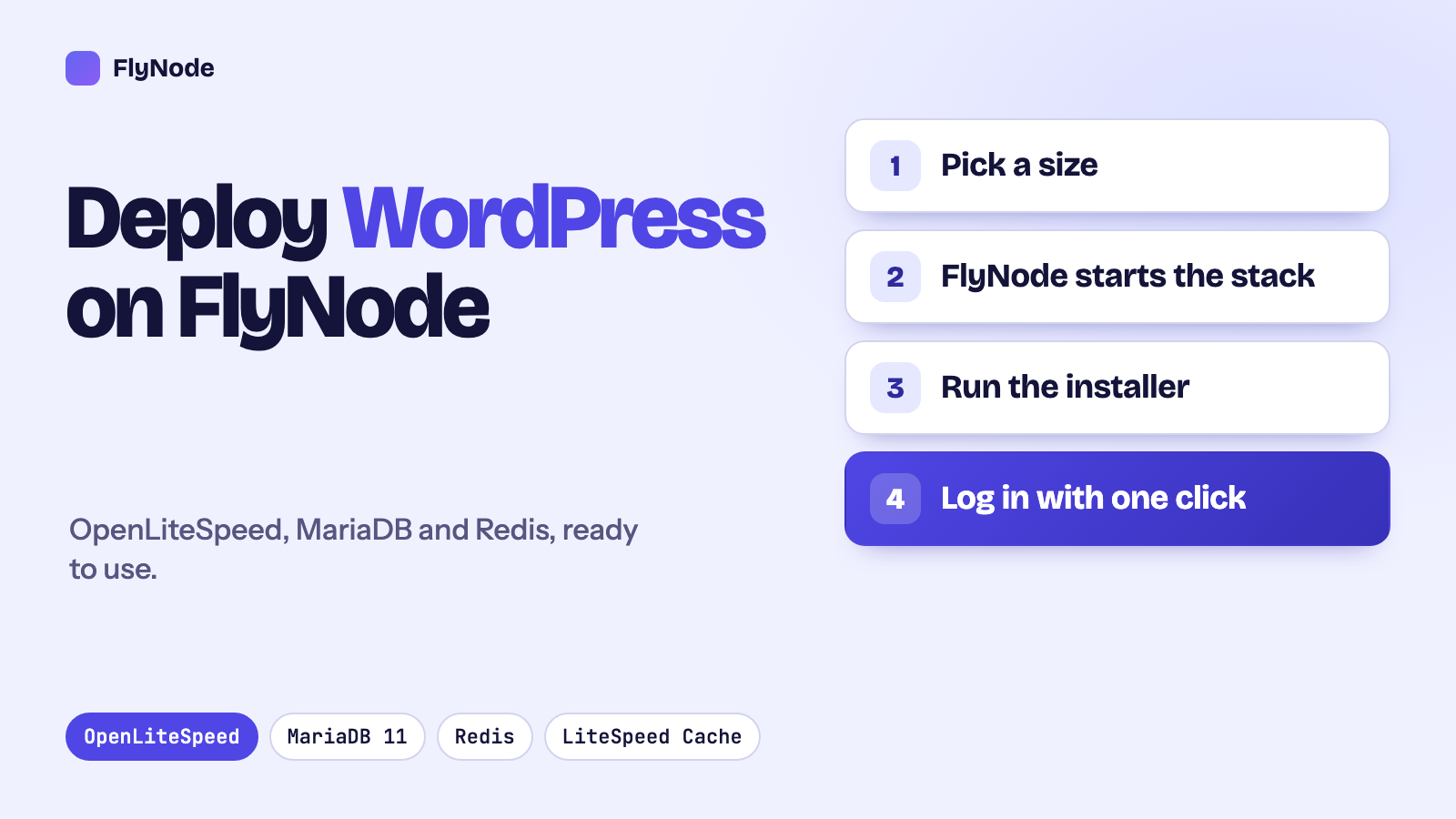
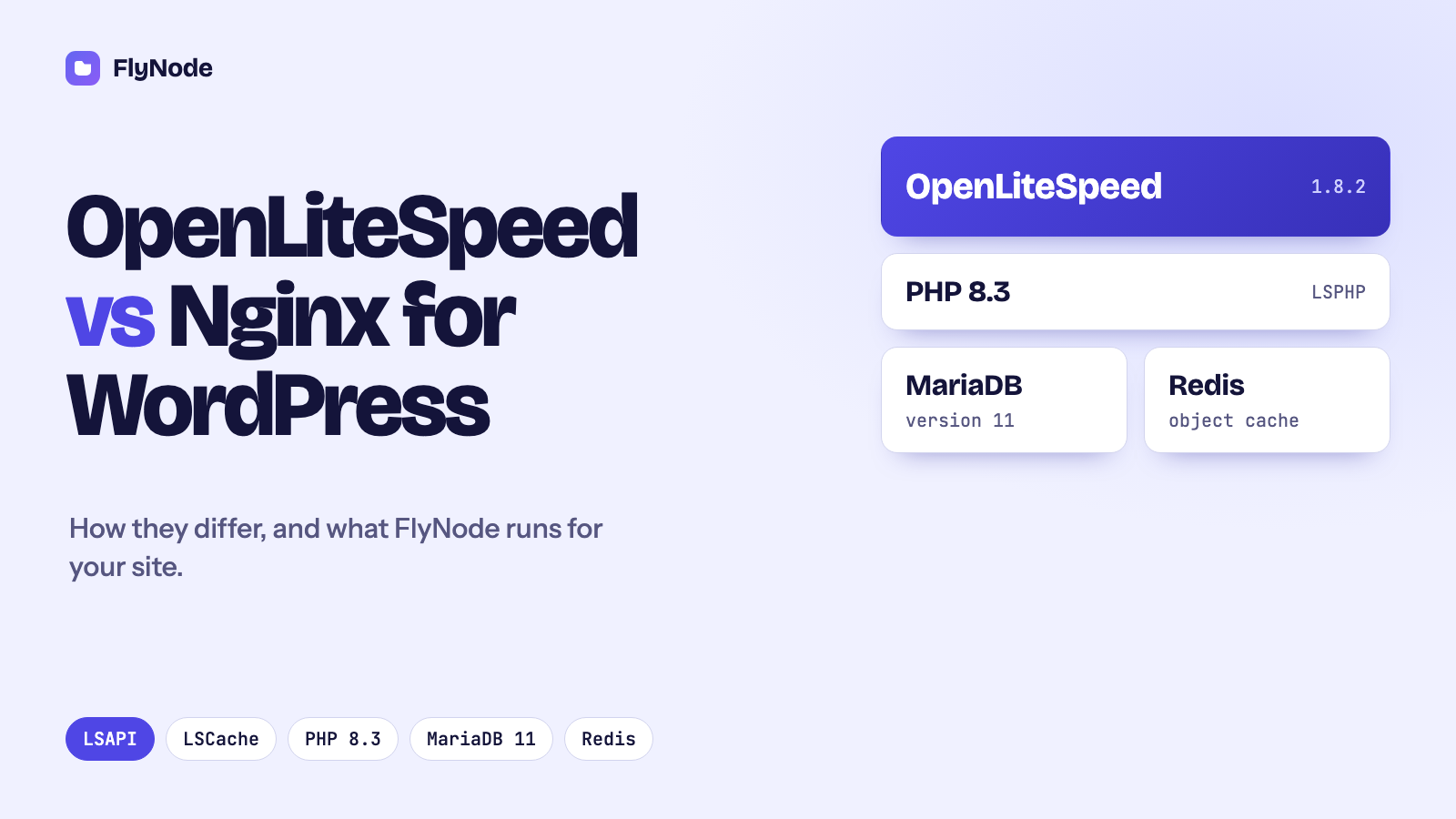
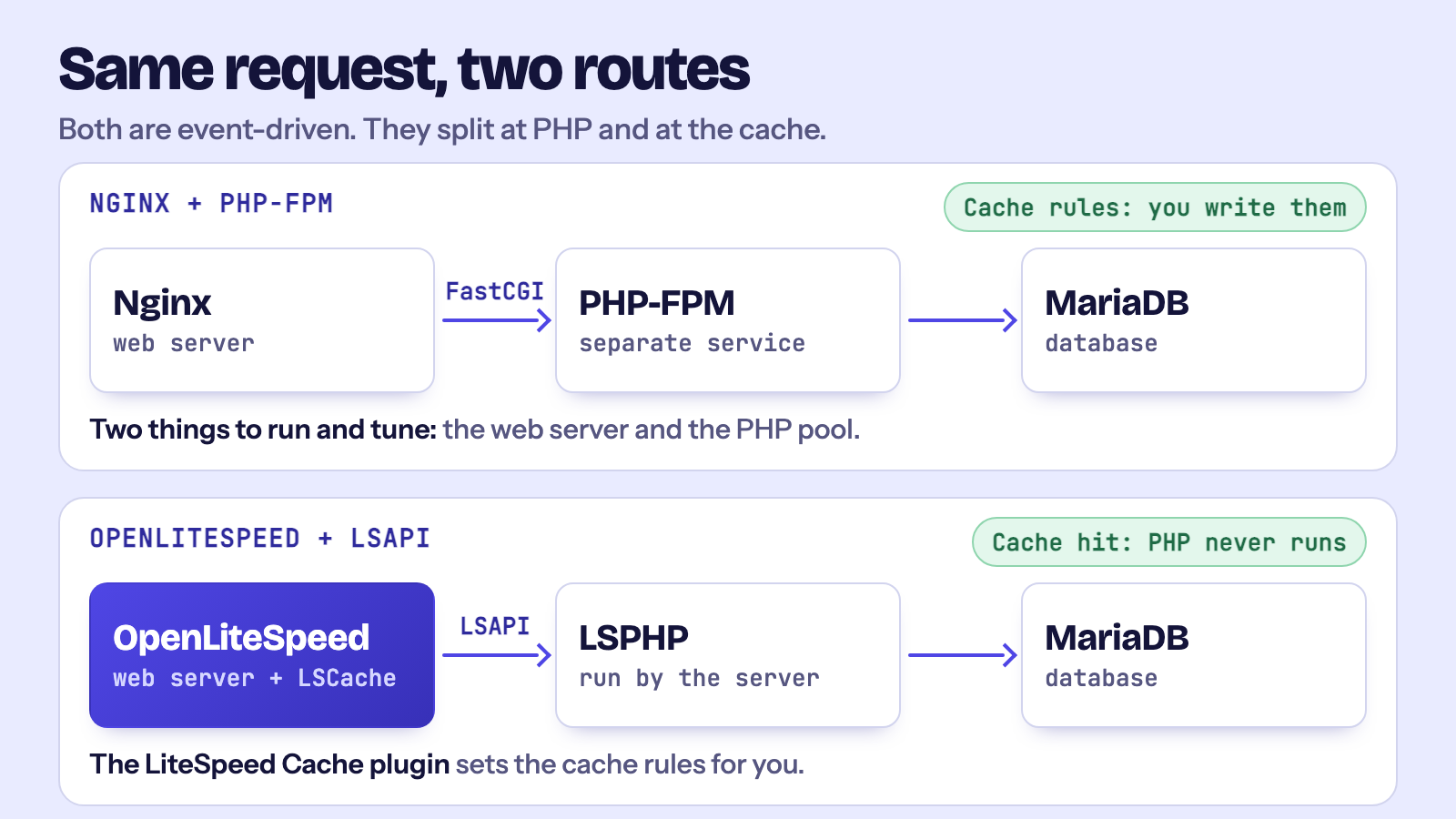
The short answer: OpenLiteSpeed and Nginx are both fast, event-driven web servers. For WordPress the real difference is how each one runs PHP and caches pages. OpenLiteSpeed talks to PHP over its own LSAPI protocol and has a page cache built into the server, which the LiteSpeed Cache plugin controls directly. Nginx hands PHP to a separate PHP-FPM service and needs its cache configured by hand. FlyNode runs WordPress on OpenLiteSpeed 1.8.2 with PHP 8.3, MariaDB 11 and Redis, so the fast path works from the first start, with no server configuration on your side.
If you have ever picked a host for a WordPress site, you have probably been told that one web server is "faster" than another. Usually the claim comes with a chart and no explanation. This article does it the other way round. We will look at what a web server actually does for WordPress, where OpenLiteSpeed and Nginx really differ, and what that means when you run a site on FlyNode.
We are not going to quote a benchmark here. Speed numbers depend on the theme, the plugins, the hardware and the traffic, and a number we did not measure on your site would not be worth much to you. What we can do is explain the mechanics, so you can judge the claims you read elsewhere.
What a web server does for WordPress
WordPress is a PHP application. A web server cannot run PHP by itself, so every visit to a page that is not already cached goes through the same chain: the web server receives the request, passes it to a PHP process, PHP asks the database for the content, builds the HTML and hands it back.
That chain is where time is spent, and it is where the two servers take different routes:
- How the server handles many connections at once.
- How it talks to PHP.
- Whether it can answer a request without waking PHP at all, which is the job of a page cache.
Connections: both are event-driven
You will often read that OpenLiteSpeed beats Nginx because it is "event-driven". That is true, but it is not the difference. Nginx is event-driven too. Both servers keep a small number of worker processes, and each worker juggles thousands of open connections without giving each one its own thread.
The older model, the one this idea is usually compared against, belongs to Apache's classic prefork and worker modes. There, each connection ties up a whole process or thread while it waits. Under heavy traffic that gets expensive, because most of the time those processes are just waiting on a slow client.
So on the connection side, OpenLiteSpeed and Nginx are close. If someone tells you this is why one of them wins, be a little suspicious.
PHP: LSAPI and PHP-FPM
The first real difference is how PHP is reached.
Nginx does not run PHP. You install PHP-FPM as a separate service, and Nginx forwards each request to it over FastCGI. It works well and it is the standard setup for Nginx. It also means two things to install, tune and keep running: the web server and the PHP pool, each with its own settings.
OpenLiteSpeed uses LSAPI, a protocol LiteSpeed built for exactly this job, and it manages the PHP processes itself (the package is called LSPHP). The web server and PHP are designed as a pair. In practice that means fewer moving parts on your side. There is no separate pool file to size, and the server decides when to start and stop PHP workers.
LiteSpeed describes LSAPI as lighter than FastCGI. That is a fair design goal, but how much it matters on a real site depends on how much of your traffic reaches PHP in the first place, and that brings us to caching.
Caching: this is where the gap really is
Most of the traffic on a typical WordPress site is people reading pages that rarely change. The fastest way to serve those is to not run PHP at all: store the finished HTML and send it straight back.
Both servers can do this, but they get there differently.
- Nginx can cache FastCGI responses. You write the cache rules yourself: which pages to skip (logged-in users, the cart, the checkout), how long to keep things and how to clear them. To purge the cache when you publish a post, you add a plugin that knows how to talk to your particular setup.
- OpenLiteSpeed has the page cache inside the server, called LSCache. The free LiteSpeed Cache plugin for WordPress sends instructions to it in response headers: what to cache, for whom and for how long. When you update a post, the plugin tells the server which pages to clear. The rules for logged-in users and shop pages are part of the plugin, so there is nothing to write by hand.
An experienced engineer can build an excellent cache on Nginx. The point is that on OpenLiteSpeed you get a working one by installing a plugin, and for most WordPress owners that is the more important thing.
Configuration and .htaccess
Many WordPress plugins write rules into a file called .htaccess: redirects, security rules, cache rules. Apache reads that file natively. OpenLiteSpeed understands the same rewrite syntax, so those plugins keep working. Nginx does not read .htaccess at all, so every rule has to be translated into its own configuration and the server reloaded.
There is one thing to know about OpenLiteSpeed. It reads .htaccess once and keeps it in memory, so a changed rule does not apply until the server restarts gracefully. On FlyNode, the Security tab does this restart for you whenever you apply a change, with no downtime. If you edit the file by hand, it is worth remembering.
HTTP/3 and QUIC
OpenLiteSpeed supports HTTP/3 and QUIC. Recent versions of Nginx do too. On a FlyNode site, visitors connect to FlyNode's proxy first, which handles the secure connection, and the proxy passes the request to your WordPress container. So the web server in your container is not the part that decides which protocol visitors use, and we do not make claims about HTTP/3 for your site based on which server runs inside the container.
What FlyNode runs for your WordPress site
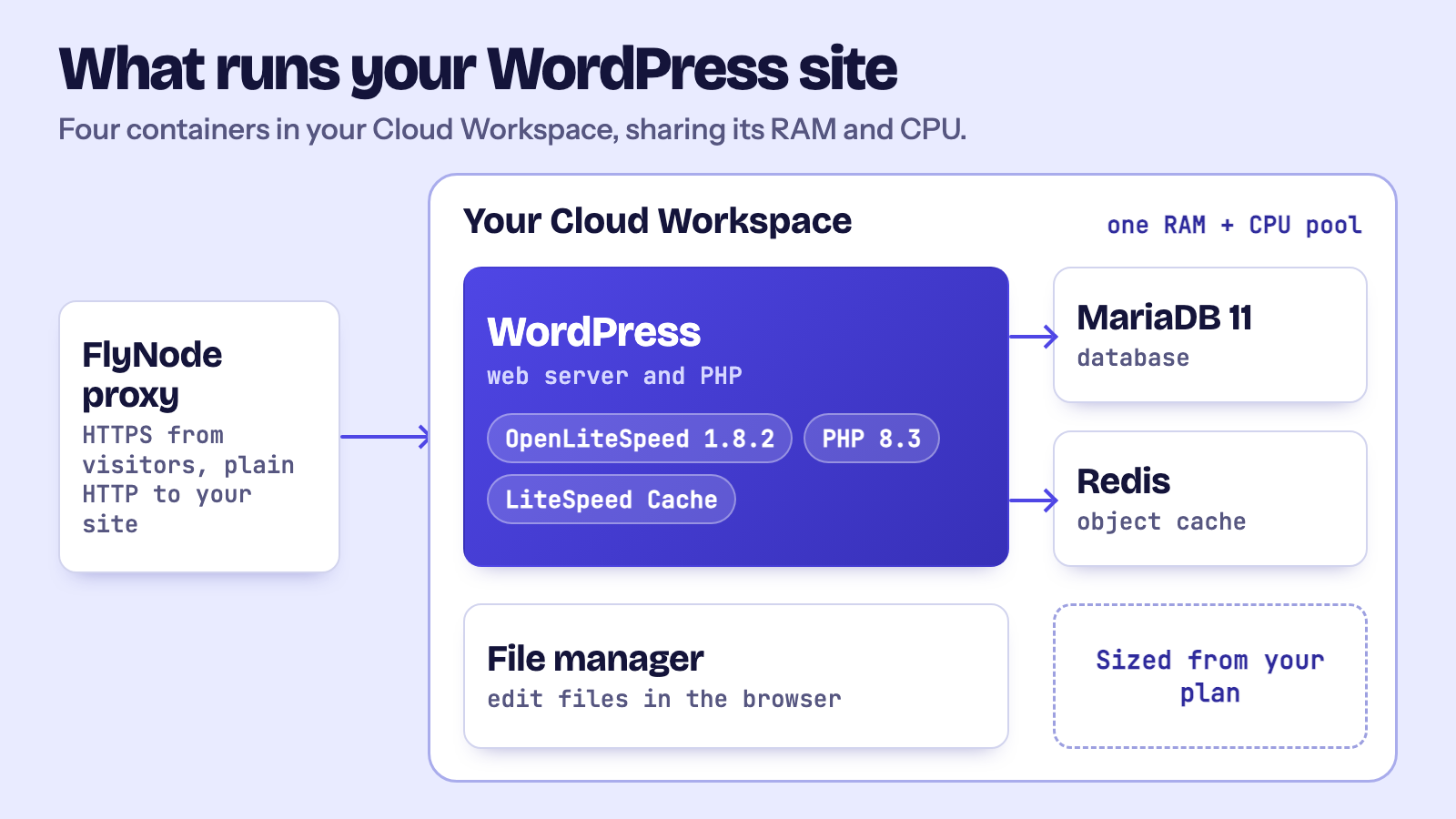
Here is the stack as it is defined in the FlyNode WordPress template:
- OpenLiteSpeed 1.8.2 with PHP 8.3 (LSPHP).
- MariaDB 11 for the database.
- Redis for object caching.
- The LiteSpeed Cache plugin, installed the first time the site starts.
- A web file manager next to the site.
Each of these is its own container, and together they live inside your Cloud Workspace. Your workspace has a fixed amount of RAM and CPU, and your WordPress site shares it with anything else you run there.
Redis is sized to your plan
FlyNode sets Redis to use a small slice of your workspace's memory and, when it fills up, to drop the least recently used items first. The database gets a share sized to your plan as well. Both numbers come from your plan, so you do not need to edit any configuration.
The wp-config.php that FlyNode creates already points to the Redis container, so you do not have to look up an address. Switching on object caching is then a matter of enabling it in a caching plugin, such as the object cache setting in LiteSpeed Cache.
Staging, updates and security are built around this stack
Because the stack is the same everywhere, the dashboard tools can rely on it. You can copy a live site to a staging copy in one click, update plugins and themes from the Plugins and Themes pages with a safety copy and an automatic rollback if the site stops responding, and use the Security tab to harden the site. These features exist because the underlying server is predictable, which is a quiet benefit of not asking every customer to assemble their own stack.
Which one should you choose?
If you manage servers for a living and you like to control every directive, Nginx with PHP-FPM is a solid, well-documented choice, and you can make it very fast. If you would rather run a WordPress site than run a web server, OpenLiteSpeed gives you a working page cache, .htaccess compatibility and PHP handling that is already wired up.
That second group is the one FlyNode is built for. You pick WordPress, the stack starts with sensible defaults, and you spend your time on the site.
Frequently asked questions
Is OpenLiteSpeed faster than Nginx for WordPress?
It depends on the site. Both handle connections efficiently. OpenLiteSpeed's advantage for WordPress is mainly the built-in page cache and the LiteSpeed Cache plugin that controls it. A carefully tuned Nginx setup with FastCGI caching can perform very well. If speed matters for you, test your own site with caching turned on and off.
Is OpenLiteSpeed the same as LiteSpeed Web Server?
No. OpenLiteSpeed is the free, open-source edition. LiteSpeed Web Server is the paid edition with extra features for hosting providers. FlyNode uses OpenLiteSpeed.
Do I need to configure OpenLiteSpeed myself on FlyNode?
No. The server, PHP, the database, Redis and the LiteSpeed Cache plugin are set up when the site is first created. You manage the site from the dashboard.
Can I move an existing WordPress site to FlyNode?
Yes. The step-by-step guide is in the docs: How to migrate WordPress to FlyNode.
Next steps
Ready to try it? See how WordPress on FlyNode works and what it costs. In the next article we will deploy a site step by step and check each part of the stack from inside the container.
Get new articles in your inbox
New guides on WordPress, tracking and automation, once or twice a month. No spam, unsubscribe any time.